The Ultimate Guide to YouTube Thumbnail A/B Testing in 2026
Master YouTube's thumbnail A/B testing feature to scientifically improve your click-through rates. Learn setup strategies, analysis techniques, and optimization best practices.

The Ultimate Guide to YouTube Thumbnail A/B Testing in 2026
Gone are the days of guessing which thumbnail works best. YouTube's built-in A/B testing feature provides concrete data about viewer preferences. When used strategically, this tool transforms thumbnail creation from art into science.
Understanding YouTube's A/B Testing Feature
YouTube's thumbnail testing allows creators to upload multiple thumbnail options and let the platform distribute them to viewers. The system tracks performance and automatically selects the winner based on click-through rate data.
Who Has Access?
This feature is available to channels in the YouTube Partner Program and some smaller channels in testing phases. If you don't have access yet, continue creating content and building your audience—access typically comes as your channel grows.
How It Works
- Upload multiple thumbnail variations (typically 2-3)
- YouTube shows each version to similar viewer segments
- Performance data accumulates over time
- The winning thumbnail becomes your permanent choice
Setting Up Your First Test
Step 1: Create Meaningful Variations
Don't test random changes. Each variation should test a specific hypothesis:
- Version A: Blue background (testing color preference)
- Version B: Red background (testing color preference)
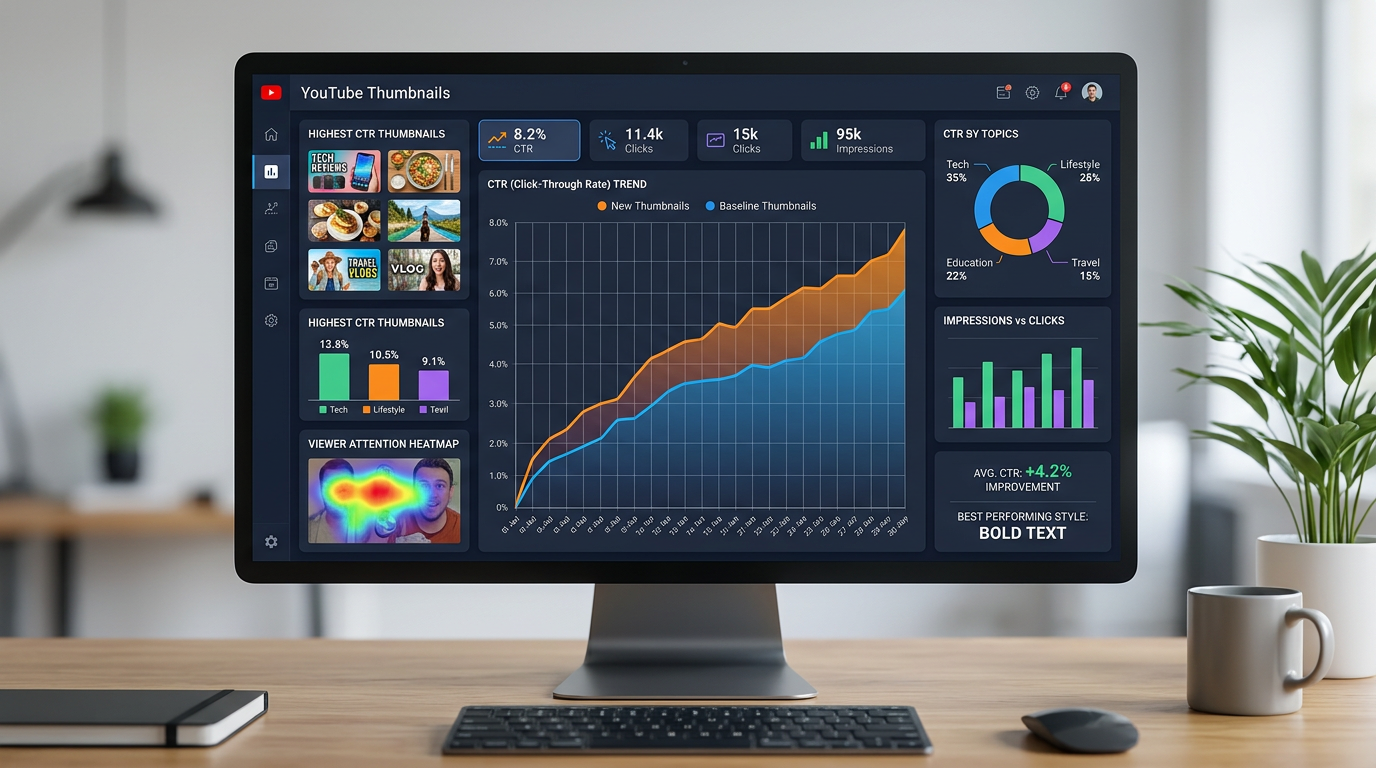
Figure 1: Data analytics dashboard for YouTube thumbnail performance, charts and graphs sh...
Or:
- Version A: Text-heavy design (testing information density)
- Version B: Minimal text design (testing information density)
Critical Point: Test one major element at a time. Testing multiple changes simultaneously makes it impossible to identify what caused performance differences.
Step 2: Ensure Valid Comparison
For accurate results, variations should be truly comparable:
- Same video content and title
- Same publishing time and promotion
- Only the thumbnail differs
Step 3: Allow Adequate Sample Size
Premature conclusions lead to flawed decisions. Wait for statistically significant data before declaring a winner.
General Guideline: Let tests run until each thumbnail has been shown to at least 1,000 viewers. Smaller channels may need to wait longer to reach this threshold.
Strategic Testing Priorities
Test Color Schemes First
Color often has the most dramatic impact on thumbnail performance. Start with broad color tests before moving to finer details.
Testing Approach: Create identical thumbnails with different dominant colors. Note which colors your audience prefers.
Then Test Expressions and Faces
If your thumbnails feature people, expressions significantly affect click-through rates. Test happy expressions versus surprised, direct eye contact versus indirect, and close-up versus medium shots.
Testing Approach: Use the same base design with different expression captures from your video.
Finally Test Text and Typography
Once you understand color and expression preferences, refine your text approach. Test font styles, text placement, and word choice.
Analyzing Test Results
Understanding Click-Through Rate (CTR)
CTR represents the percentage of impressions that result in clicks. Higher CTR indicates your thumbnail successfully attracts viewers.
Benchmarks:
- 2-5%: Average performance
- 5-10%: Good performance
- 10%+: Exceptional performance
These benchmarks vary by niche, video type, and channel size. Your own improvement over time matters more than absolute numbers.
Statistical Significance Matters
Small sample sizes produce unreliable results. A thumbnail with 5% CTR after 100 impressions hasn't proven superiority over one with 4% CTR—random variation could explain the difference.
Practical Approach: Don't make decisions until YouTube's system declares a winner or you have substantial impression data.
Consider Context
CTR doesn't exist in isolation. A high CTR for a misleading thumbnail might initially impress but lead to poor watch time and audience retention. Balance CTR with other metrics.
Advanced Testing Strategies
Sequential Testing
Run multiple tests in sequence, each building on previous learnings:
- First Test: Color preference (Blue vs. Red)
- Second Test: Expression style (Smiling vs. Surprised, using the winning color)
- Third Test: Text length (Short vs. Very short, using winning color and expression)
Category-Specific Testing
Different content categories may respond to different thumbnail approaches:
- Tutorials: Test text clarity and demonstration visibility
- Entertainment: Test emotional expression and action elements
- Reviews: Test product prominence and rating indicators
Audience Segment Analysis
YouTube's analytics reveal how different audience segments respond. A thumbnail might perform well with new viewers but poorly with subscribers—or vice versa.
Strategic Consideration: Decide whether you're optimizing for subscriber growth (attract new viewers) or subscriber engagement (appeal to existing audience).
Common Testing Mistakes
Ending Tests Too Early
Patience is crucial. Declaring winners before sufficient data accumulates leads to incorrect conclusions.
Testing Too Many Variables
If Version A has a blue background, large text, and a smiling face while Version B has a red background, small text, and a surprised expression, you can't determine which element caused performance differences.
Ignoring Watch Time
A thumbnail that drives clicks but results in quick exits harms your channel. Monitor average view duration alongside CTR.
Not Documenting Results
Keep a testing log noting what you tested, results, and conclusions. This documentation builds knowledge over time and prevents repeating unsuccessful experiments.
Building a Testing Framework
Create Test Templates
Develop thumbnail templates that allow easy variation. A well-designed template lets you swap single elements quickly for focused testing.
Establish Testing Schedules
Rather than testing randomly, create a systematic approach:
- Week 1-2: Color testing phase
- Week 3-4: Expression testing phase
- Week 5-6: Text testing phase
- Repeat: Cycle through with refined hypotheses
Share Learnings Across Videos
Apply insights from one video's test to similar content. If your audience prefers blue thumbnails for tutorial content, default to blue until testing proves otherwise for new tutorials.
The Limitation of A/B Testing
A/B testing optimizes within your current approach. It won't reveal if an entirely different thumbnail style would perform better. Balance data-driven optimization with creative experimentation.
Recommendation: Periodically test radically different thumbnail approaches, not just minor variations of existing designs.
Conclusion: Data-Informed Creativity
A/B testing provides invaluable feedback, but it shouldn't replace creative intuition entirely. Use data to inform decisions, not dictate them. The most successful thumbnail strategies combine testing insights with creative vision.
Start testing today, even if your sample size is small. Each test contributes to your understanding of what resonates with your specific audience. Over time, this accumulated knowledge transforms thumbnail creation from guesswork into a reliable, repeatable process.
Remember: Your audience is unique. What works for other channels may not work for yours. Trust your own test results above generic advice.
jackyi
YouTube content strategist and thumbnail optimization expert. Passionate about helping creators grow their channels through data-driven design and SEO best practices.